
Overview
The Insights dashboard gives you a curated inbox of AI-generated insights derived from your Slack conversations, meetings, and connected tools. Teamate continuously monitors your workspace activity and surfaces patterns, risks, and opportunities that might otherwise be missed. Go to my.teamate.app/insights to view your insight inbox.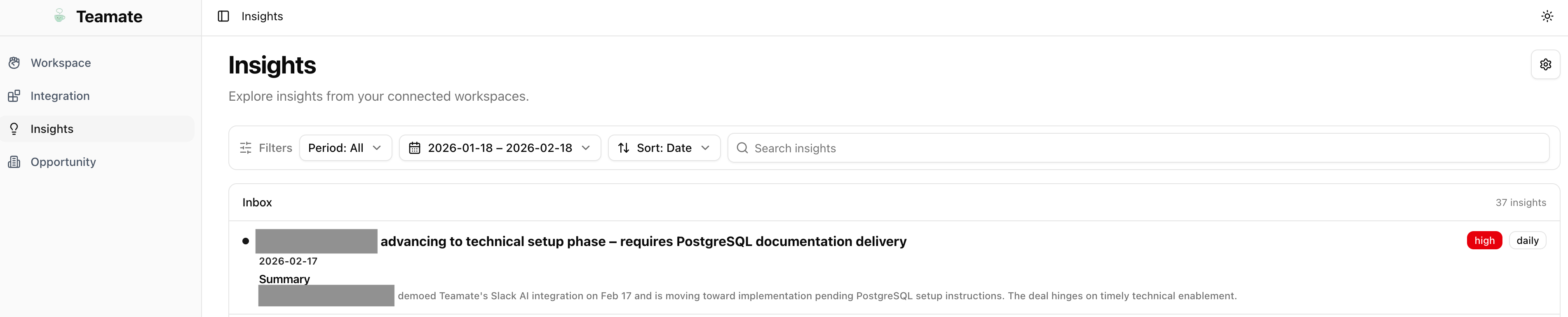
Insight inbox
Each insight card shows:- Title — A short headline for the insight
- Category — The type of insight (e.g., Patterns, Risks, Opportunities, Action Items)
- Time period — When the insight was generated (Daily, Weekly, Monthly)
- Source indicators — Which channels and meetings the insight was drawn from
- Summary — A short explanation with supporting context
Insight settings
Click Settings (⚙️) in the top-right of the Insights page to configure how insights are generated.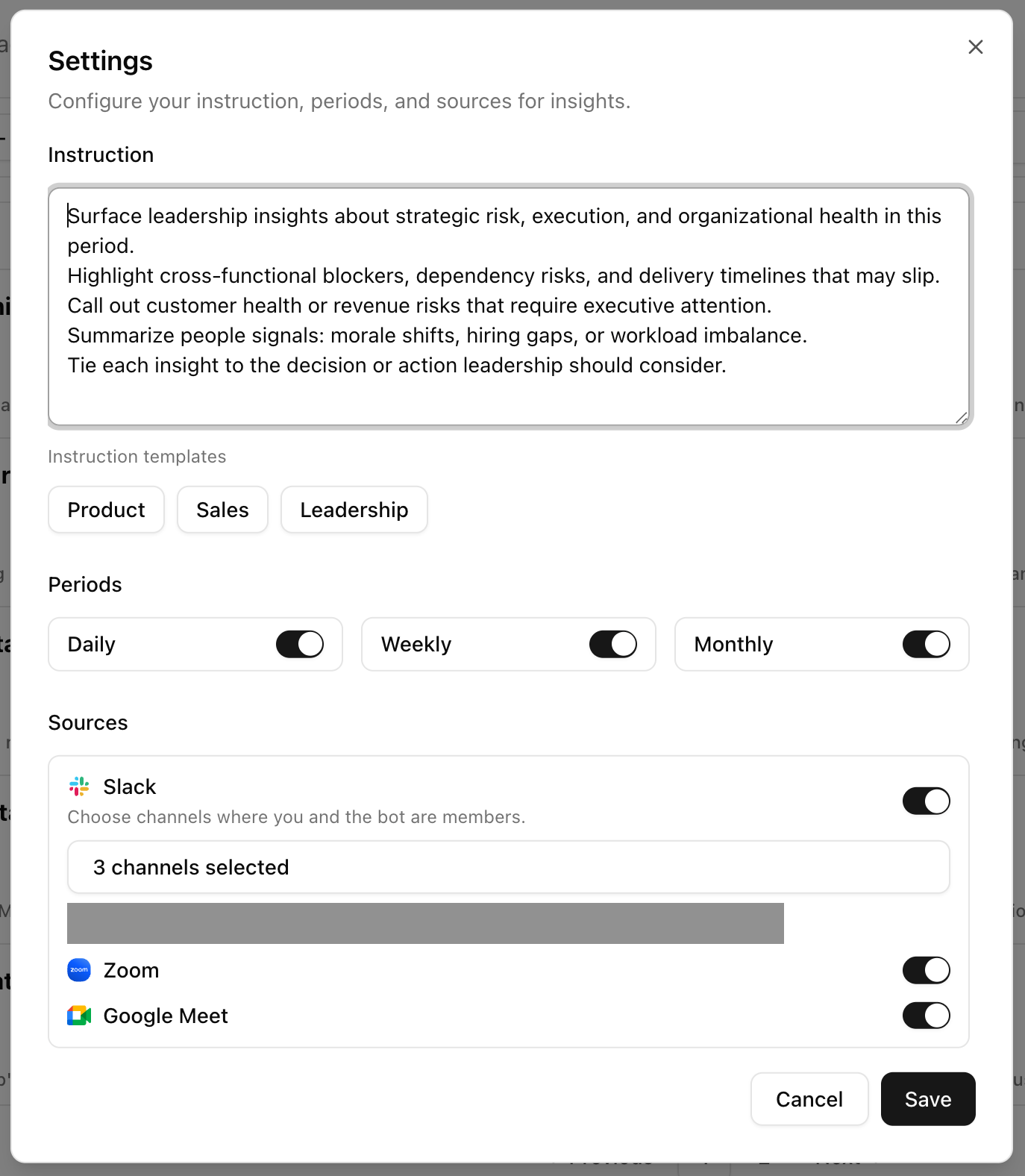
- Channels — Select which Slack channels to monitor for insight generation
- Insight types — Enable or disable categories (Patterns, Risks, Opportunities, Action Items)
- Frequency — Choose daily, weekly, or monthly digest cadence