
Overview
The Opportunity dashboard gives you a live view of your customer accounts and deal pipeline, automatically populated from your Slack conversations and meeting recordings. No manual data entry required — Teamate extracts account details, tracks deal stages, and surfaces follow-up actions from the context it already has access to. Go to my.teamate.app/opportunity to view your accounts.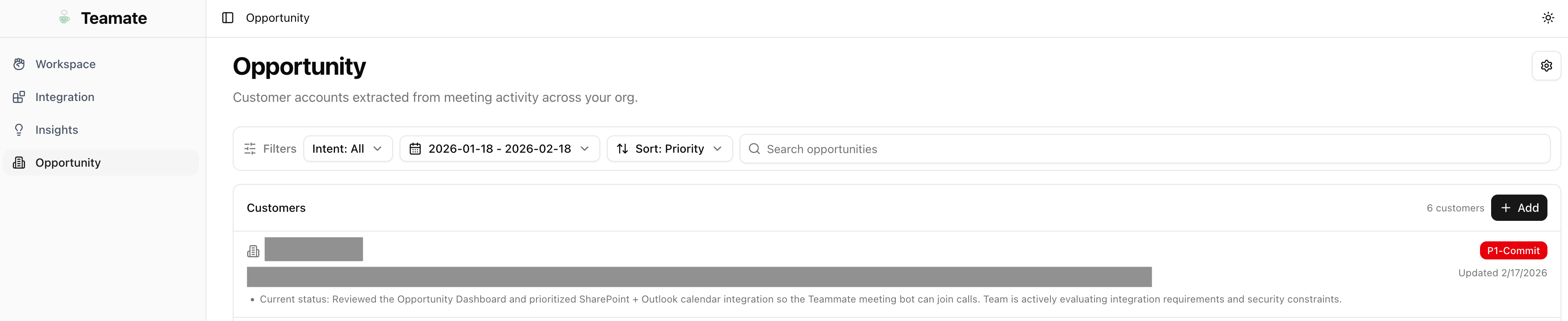
Account cards
Each row in the Opportunity dashboard represents a customer account. Teamate automatically identifies accounts from your meeting and conversation data. Each account card shows:- Account name — Company or organization name
- Deal stage — Current stage in your pipeline (e.g., Discovery, Proposal, Negotiation, Closed Won)
- Value — Estimated deal value when available
- Last activity — When the most recent meeting or conversation occurred
- Follow-up status — Pending action items extracted from calls and Slack
- Timeline — Chronological log of all meetings, Slack threads, and activities associated with this account
- Key contacts — People mentioned or participated in calls
- Meeting summaries — Links to relevant meeting notes from Zoom or Google Meet
- Action items — Pending follow-ups with suggested owners
How accounts are populated
Teamate identifies accounts by analyzing:- Meeting summaries and transcripts — Participant names, company names, deal topics
- Slack conversations — Mentions of customer names, deal context, and follow-up discussions
- Connected integrations — If HubSpot or a CRM integration is enabled, accounts can be synced from there as well